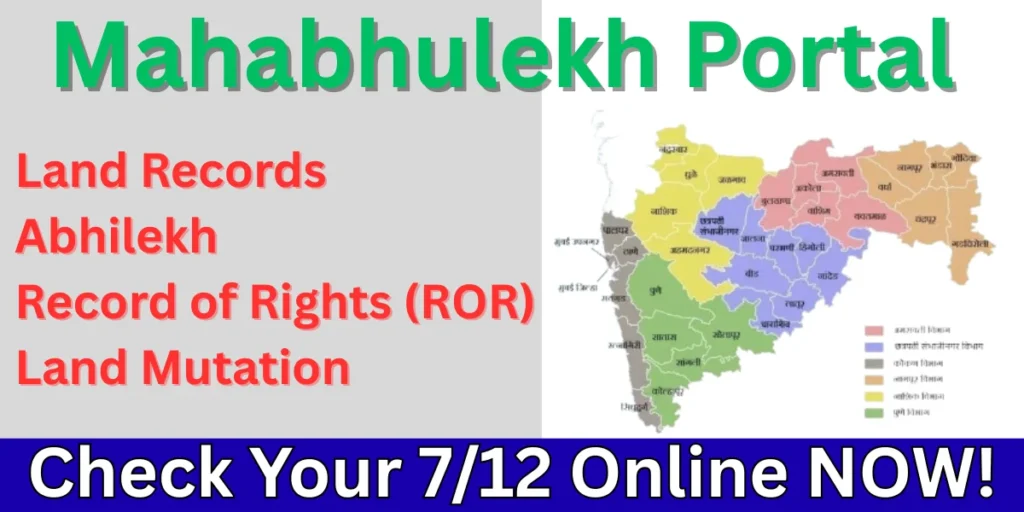
The Mahabhulekh portal (Mahabhumi) is Maharashtra’s official online platform for accessing land records. It allows citizens, farmers, and landowners to check their property details digitally, without the struggle of visiting revenue offices. The portal makes land record management simple and transparent.
Whether it’s viewing your land Bhulekh or checking your 7/12 extract, the portal simplifies the process and explains the main features of the portal and shows you how to access land records.
Overview Table of Bhulekh Mahabhumi
| Features | Details |
| Portal Name | Mahabhumi |
| Official Website | mahabhumi gov in |
| Launched By | Maharashtra Government |
| 7/12 Extract (Satbara) | Show land ownership and crop details |
| Record of Rights (ROR) | Legal proof of land ownership |
| Mode of Application | Fully online process |
| District & Village Search | Find records by district, taluka, and village |
What is Mahabhumi?
The term Mahabhumi comes from “Maha”, meaning Maharashtra, and “Bhumi”, meaning land. Simply put, it is a digital land records system for the state of Maharashtra. Through this portal, citizens can access records like ownership details, land types, survey numbers, and cultivation information without visiting government offices.
The portal is a part of India’s digital initiative to modernise land records, reduce disputes, and improve governance. It plays a vital role in ensuring farmers and landowners can verify ownership, apply for loans, or settle disputes efficiently.
Important Mahabhumi Portal Features
The Portal comes with multiple features that make it user-friendly and reliable:
- User-Friendly Interface: Even those with basic internet knowledge can navigate the portal easily.
- Online Access to Land Records: All land records are available online, saving time and effort.
- Real-Time Updates: Land records are updated regularly to ensure accuracy.
- Secure Data: The portal uses strong security measures to protect sensitive land information.
- Multiple Services in One Place: From Bhulekh to 7/12 extracts, Abhilekh, and ROR applications, everything is centralised.
- Download Documents: Citizens can download official land records for personal or legal use.
Similarly, just like the Mahabhulekh Portal helps with land-related information, the Swadhar Yojana Portal brings together a variety of government services aimed at providing support to women in difficult circumstances, making it easy for beneficiaries to apply for schemes and track their progress all in one place.
Key Services Offered by Bhulekh Mahabhumi
The Portal offers a wide range of services. Here a some of these:
- Bhulekh (Land Records): Check the ownership details, survey numbers, land type, and area.
- 7/12 Extract (Satbara): An essential document for farmers showing land ownership, crops grown, and agricultural activity.
- Abhilekh (Historical Records): View historical changes in land ownership.
- Record of Rights (ROR): Apply for or check the legal ownership certificate for land.
- Land Mutation: Submit online applications for ownership transfer after sale, inheritance, or partition.
- Online Verification: Verify the authenticity of land records to avoid fraud.
- Downloadable PDF: Download documents for banks, legal matters, or personal records.
Benefits of Using Mahabhulekh Maharashtra
- Transparency: All land-related data is made publicly accessible, reducing the chances of disputes and corruption.
- Time-Saving: Citizens can access records without visiting government offices, saving time and effort.
- Ease of Use: The portal has a user-friendly interface, allowing even those with limited tech knowledge to use it effectively.
- Legal Certainty: The downloaded land documents, such as the 7/12 extract and ROR, are legally valid for property transactions, including buying, selling, and applying for loans.
- Accessibility: The portal is available 24/7, and it can be accessed from anywhere, allowing users to check land records at their convenience.
How to Check Mahabhumi Bhulekh Land Records Online?
Checking your (mahabhumi abhilekh) land records on the Portal is simple. Follow these steps:
- Visit the official Portal: https://mahabhumi.gov.in/
- Navigate to the option named Bhulekh / Land Records.
- Then, select your district, taluka, and village.
- Enter your survey number or account number.
- Click Search to view your land ownership details.
Once you search, you can see all important details like the owner’s name, land type, area, and related records.
Documents Required for Applying for ROR on the Mahabhumi Portal
If you want to apply for a Record of Rights (ROR), you need to keep the following documents ready:
- Proof of identity (Aadhar Card, Voter ID, or PAN Card)
- Proof of ownership (Sale deed, gift deed, or succession certificate)
- Land survey number and details
- Address proof (Electricity bill, ration card, etc.)
- Any supporting documents for changes or corrections
7/12 Select District to View Land Records: Step-by-Step Guide
The 7/12 extract, also known as Satbara, is essential for farmers and landowners. Here’s how to access it online:
- Go to the Official Portal.
- Find and click on the option 7/12 Extract (Satbara).
- Select your regional details like: district, taluka, and village.
- Enter your survey number or account number.
- Click Submit to view the 7/12 Mahabhulekh details.
The 7/12 extract includes:
- Owner’s name
- Land type (agricultural, residential, commercial)
- Crop details (if agricultural land)
- Area of land
- Historical ownership details
How to Access Maharashtra Mahabhulekh Nakasha (Land Maps) Online?
- To get the Mahabhulekh map, go to the official Mahabhulekh portal of Maharashtra.
- On the homepage, you’ll need to select:
- District
- Taluka
- Village
- Then, search using the Survey Number, Owner Name, or Property Details.
- Once you have entered the relevant details, you can access the Land Record (7/12 extract) and maps associated with the land.
How to Download Mahabhumi 7/12 and Other Land Documents Online?
Downloading land documents from the Portal is very convenient:
Step 1: Navigate to the Mahabhulekh portal.
Step 2: On the portal, select the document you need, like “7/12” “8A,” or “Property Card.”
If you want a digitally signed 7/12, you can access it through the Digital Satbara portal.
Step 3: Enter the necessary details, such as your state (Maharashtra), division, taluka, village name, and survey or property number.
Step 4: Once you enter the details, the system will show your record. You can then download the document, which may be digitally signed and valid for legal use.
Step 5: Some documents might require a small payment to download. For example, a 7/12 extract usually costs Rs 15.
What is Mahabhulekh 2.0?
Mahabhulekh 2.0 is an upgraded version of the Mahabhulekh portal launched by the Government of Maharashtra. The new version aims to provide improved features for accessing land records, including land maps (Nakasha), 7/12 extracts, property cards, and other land-related documents. Mahabhulekh 2.0 is designed to make the process more user-friendly and efficient by integrating more advanced tools and services.
New Features in Mahabhulekh 2.0
- Improved Interface: The portal has an upgraded, user-friendly interface to make navigation easier.
- Faster Search and Access: The system is designed to handle large volumes of requests and provide faster results.
- Mobile-Friendly: The portal is optimised for mobile devices, allowing users to access it on smartphones or tablets.
- Geo-Mapping: More accurate and interactive maps are provided to help users visually identify land boundaries and details.
- Multi-Language Support: The new version supports multiple languages to cater to users from different regions of Maharashtra.
- Digital Signature: For higher authenticity, documents may be digitally signed for legal use.
Frequently Asked Questions(FAQs)
Q1. Is the Mahabhulekh Portal free to use?
Yes, all services on the Mahabhulekh Portal are completely free for citizens.
Q2. How often are the records updated?
Land records on Mahabhulekh are updated regularly by government authorities.
Q3. Can I apply for a land mutation online?
Yes, the portal allows you to apply for land mutation after sale, inheritance, or partition.
Q4. What should I do if my land details are incorrect?
You can submit an online correction request on the Mahabhulekh Portal with supporting documents.
Q5. Can non-Maharashtra residents access Mahabhulekh records?
Yes, anyone with the required survey number and details can check land records.
Q6. Can I access the Mahabhulekh Property Card for any city in Maharashtra?
Yes, the Property Card is available for all urban areas in Maharashtra, including cities like Mumbai, Pune, Nashik, Nagpur, and others. It is part of the system for urban properties.